Paper vs. Digital Journal (GoodNotes): Which Is Better for You?
Paper journal or digital journal in GoodNotes? Pros, cons, what science says about handwriting vs. typing, and 4 questions to help you pick the right format.
Published on November 11, 2026 · 5 min read

You want to start a journal, but you're torn: a beautiful paper notebook, or a digital journal on your tablet in an app like GoodNotes? The right answer mostly depends on you. Paper is ideal if you want a break from screens and love the feel of writing; digital is handy if you already own a tablet and stylus, like having everything in one place and want to erase, move or redo pages. And here's the good news: with a stylus, you're still writing by hand. Here's what you need to decide.
What science says about handwriting
You'll often hear that writing by hand is "better for your brain." What do we actually know?
In 2024, researchers Audrey van der Meer and Ruud van der Weel at the Norwegian University of Science and Technology (NTNU) published a study in Frontiers in Psychology. Students either typed a word on a keyboard or wrote it by hand with a digital pen on a screen while their brain activity was recorded. Handwriting increased connectivity between several brain regions, including some involved in memory. Typing did not.
Two important caveats:
- The study didn't test whether students actually remembered the words better, so it can't tell us handwriting improves learning.
- The handwriting was done with a stylus on a screen. What mattered was the act of forming letters, not the paper itself. A digital journal filled in with a stylus counts as handwriting too.
The real difference is between writing and typing, not between paper and tablet.
What really matters in a journal
A therapist at the University of Rochester Medical Center puts it well: the benefits of journaling come from the process, not the product. Putting feelings into words helps you understand them and gain perspective; there's no right way to do it and no required schedule. She even notes that typing or dictating on a device works too.
So the best journal is the one you'll actually open. The format's job is to make you want to come back.
Pros of a paper journal
- A real break from screens. No notifications, no temptation to "just check" a message.
- A sensory pleasure: the paper, the scratch of a pen, the colors.
- No battery, no app to update.
- A keepsake you can store in a drawer, reread in ten years, or pass down.
- Great at night, when you want to step away from your phone before bed.
Cons of a paper journal
- You can't cleanly erase or move a page.
- You have to carry it, and it takes up shelf space.
- A printed journal costs a little more (paper, ink or printing).
- If you lose it, it's gone.
Pros of a digital journal (GoodNotes, Notability and more)
- Everything in one place: your journals, planner and lists on a single tablet.
- Erase, redo, rearrange with no messy cross-outs. Great for perfectionists.
- Unlimited pages: duplicate a daily page as many times as you like.
- Clickable tabs to jump between sections in a second.
- Cloud backup, depending on your app and settings.
- Collage, digital stickers and photos are easy to add.
Cons of a digital journal
- You need a compatible tablet and ideally a stylus, which is an investment if you don't already have them.
- A tablet is still a screen: notifications and other apps can pull you away (turn on Do Not Disturb).
- A stylus gliding on glass can feel less natural than pen on paper.
- You have to keep it charged.
How to make writing on a tablet feel better
If you go digital, two accessories really change the experience. The first is a good stylus: it lets you write precisely, vary your pressure and rest your hand on the screen without stray marks. The second is a paper-feel screen protector: its slightly textured surface gives your stylus a bit of resistance, closer to pencil on paper, and cuts glare.
Always check that the stylus and screen protector match your exact tablet model before ordering.
Why not both?
Many people mix formats:
- Digital for planning (calendar, goals, lists), because you revisit and change them often.
- Paper for feelings (gratitude, evening reflections, grief), because you want time away from screens and something to keep.
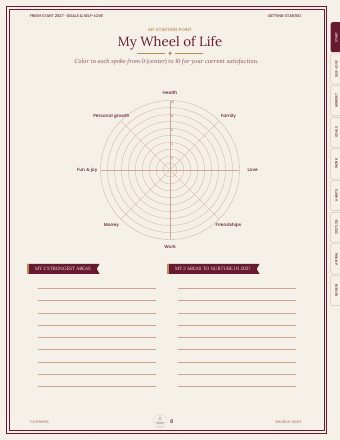
Another option: a printable digital journal. Fill it in on your tablet, or print only the pages you want to write in by hand.
Our journals: your choice
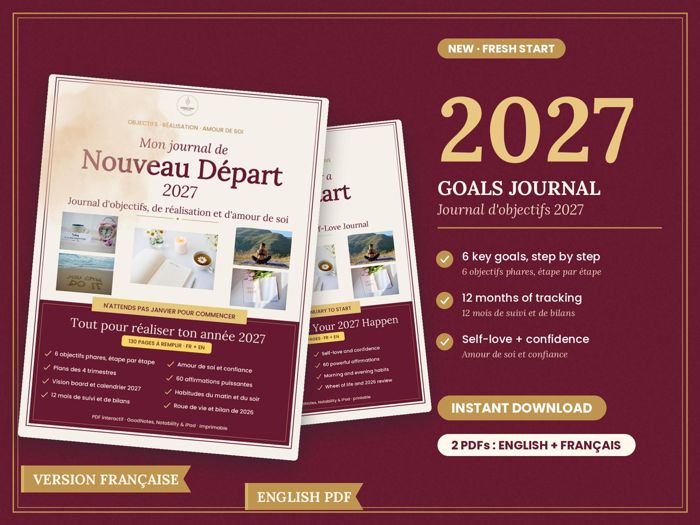
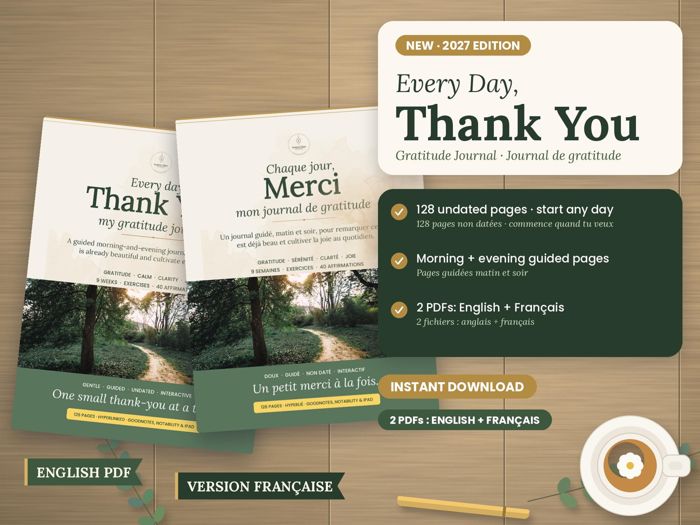
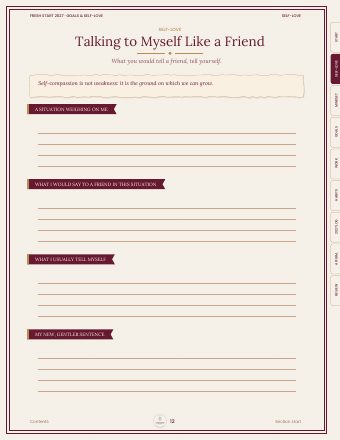
All Lantern Days journals are digital PDF files, in English and French, with clickable tabs. You can open them in a note-taking app that accepts PDFs (such as GoodNotes or Notability) and write with a stylus, or print them and fill them in by hand. One journal, two ways to use it.
To plan your year, one goal at a time:
For a moment of gratitude, morning and evening:
How to choose in 4 questions
- Do you already own a tablet and stylus? If so, going digital costs you almost nothing extra. If not, start with paper.
- Do you want less screen time? Paper gives you a real break.
- Do you love to erase and start over? Digital is made for you.
- Do you want a physical keepsake? Choose paper, or print your PDF at the end of the year.
Frequently asked questions
Is writing on a tablet with a stylus the same as writing by hand?
In terms of the movement, yes. In the 2024 Norwegian University of Science and Technology study, "handwriting" was done with a digital pen on a screen, and that's what set it apart from typing.
What is GoodNotes?
GoodNotes is a note-taking app for tablets that lets you import PDF files and write on them with a stylus, much like paper. Other apps, such as Notability, work in a similar way.
Can I print a digital journal?
Yes, if it's a PDF designed for it. Lantern Days journals can be used on a tablet or printed at home.
Is paper really better for well-being?
The benefits of journaling come mainly from regularly writing about what you live and feel. Paper helps you step away from screens, but the best format is the one you'll actually use.
Sources
- Science News Explores: Handwriting may boost brain connections that aid memory
- University of Rochester Medical Center: No Rules Just Write, A New Approach to Journaling
This article is written with the help of artificial intelligence and reviewed by the Lantern Days team. It does not replace advice from a professional. See our Artificial intelligence page.
To go further
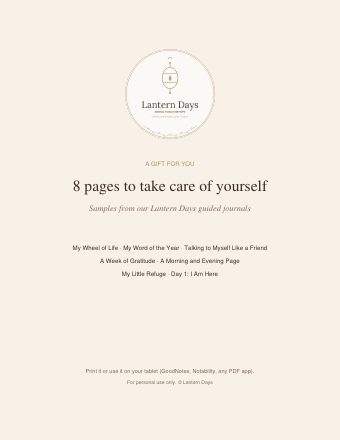
Subscribe and get 2 gifts


